Router Table Parts & Features Explained: Our Essential Guide For Users
Contents
- What Are The Basic Router Table Parts?
- Insert plate
- Table guard
- Table fence
- Miter gauge slot
- No-volt release switches
- Router table dust extraction port
- What Are the Accessories Available For Router Tables?
- Miter gauge
- Lead-on-pin
- Insert rings
- Router table finger pressures
- Router stop blocks
- Router table push tools
- Collet extension
- Conclusion
- Sources
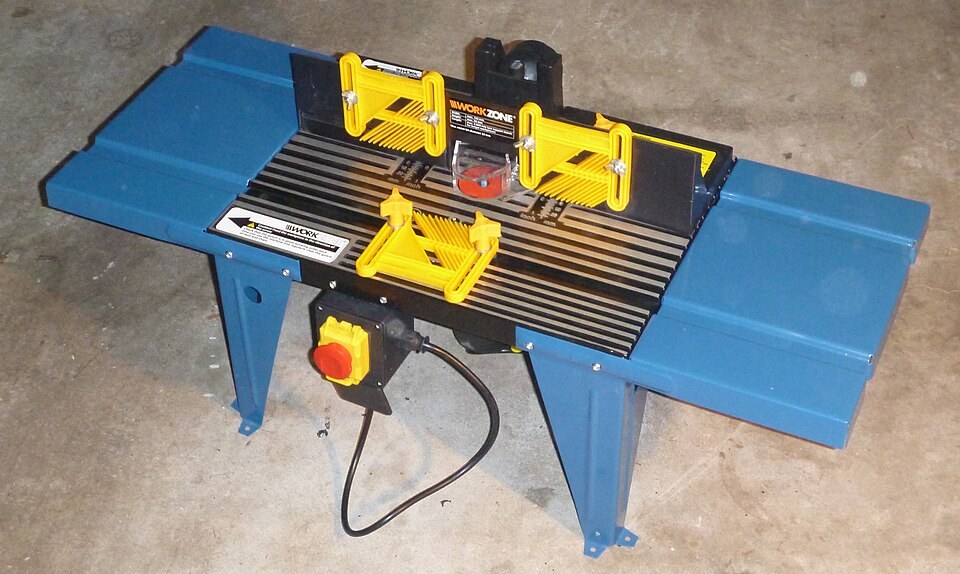
Photo by AussieLegend, Public domain, via Wikimedia Commons
A router table is one of the most useful additions to a woodworking shop. Mounting a router upside down in a table improves precision and control on many jobs, from edge profiles to joinery. In this post, let's look at router table parts and accessories and what each one does.
What Are The Basic Router Table Parts?
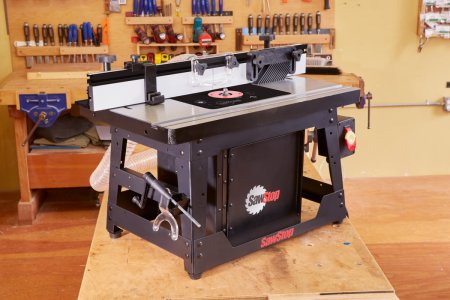
Most router tables share the same basic parts. Their layout differs from model to model, but each part plays a role in safer, more accurate routing.
Insert plate
The insert plate holds your handheld router under the table. The router screws to the plate, and the plate drops into an opening, usually near the center of the tabletop.
Table guard
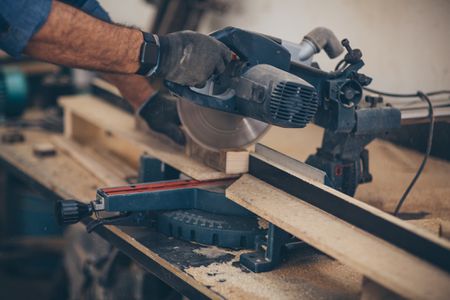
The guard is a clear or plastic cover that keeps your fingers away from the spinning router bit. On many tables it sits on the fence and also helps direct chips toward the dust port.
Table fence
The fence is used in guiding and supporting workpieces as they move past the bit. It is a straight, upright face mounted on the tabletop. Setting it controls how much of the bit is exposed and where the cut lands.
Miter gauge slot
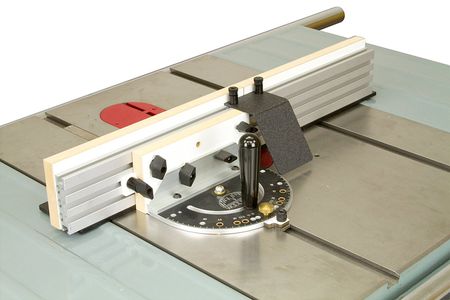
This slot holds the miter gauge and lets it slide across the table, parallel to the fence. Larger tables may have more than one slot. Many slots are T-shaped so they can also hold featherboards and other accessories.
No-volt release switches
Many router tables include a no-volt release (NVR) switch. You plug the router into the switch and turn the router on, then use the switch's large paddle to start and stop it. If the power cuts out, the switch stays off, so the router won't restart by itself when power returns.
Router table dust extraction port
This port, usually behind the fence, connects to a shop vacuum or dust collector. Adapters let you fit different hose sizes. OSHA notes that routers are among the woodworking machines that produce the most dust, so use a shop vac or dust collector rather than a household vacuum, and wear a dust mask.
What Are the Accessories Available For Router Tables?
Accessories help with specific tasks. Some come with the table and others are sold separately. Here are the common ones:
Miter gauge
The miter gauge, also called a miter fence, rides in the miter gauge slot. It has a pivoting fence on a bar, similar to a protractor. It guides workpieces across the bit at a set angle, often with stops at 90 degrees and 45 degrees each way.
Lead-on-pin
The lead-on-pin, also called a starting pin, is used when you rout curved work with a bearing-guided bit and no fence. It threads into a hole in the insert plate. You brace the workpiece against the pin, then pivot it gently into the bit until it rides on the bearing.
Insert rings
Also called reducer rings, these fit into the insert plate to change the size of the opening around the bit. Use the smallest ring that clears the bit. That gives the workpiece more support and lets less dust fall into the router.
Router table finger pressures
Usually called featherboards, these hold the workpiece flat on the table or tight against the fence. Their angled fingers let the stock move toward the bit but resist it moving backward. They give steadier support and cleaner cuts, and they keep your hands farther from the bit. OSHA's woodworking machinery rules call for combs (featherboards) or jigs where a standard guard can't be used.
Router stop blocks
Stop blocks clamp to the fence to limit where a cut starts or ends. They are used for stopped grooves and flutes that shouldn't run the full length of the workpiece.
Router table push tools
Push sticks and push blocks keep your hands away from the bit while still letting you control feed direction and speed. Use them on narrow and short pieces, with or without the fence.
Collet extension
A collet extension raises the bit higher above the table when the router can't reach. It installs in the router collet, and the bit goes into the extension. Follow the maker's limits on bit size and speed, since an extension adds length and leverage.
Conclusion
A router table improves accuracy, speed and safety. Learn what each part and accessory does so you can set it up correctly and get the most from it. Always feed against the bit's rotation, keep the guard in place and unplug the router before changing bits.